Delete your Master of Cladia account
You can delete your account and all its data from within the game or, if you can't access it, by sending us a request.
Deletion is permanent and cannot be undone: your ranking progress (ELO and K Score) and your customizations are erased, you surrender in ongoing games, you leave those that haven't started yet, and administration of the games you created passes to the server administrator.
From the game
Android
- Open Master of Cladia and go to “Settings”.
- Under “Account settings”, tap “Delete account”.
- Read the warning and tap “Accept”.
- Open the email we send you and tap the confirmation link. It expires in 30 minutes.
- You'll receive an email once the account has been deleted.
iPhone (iOS)
- Open Master of Cladia and go to “Settings”.
- Under “Account settings”, tap “Delete account”.
- Read the warning and tap “Accept”.
- If you allowed access to your email, you'll receive a confirmation link by email.
- If you didn't, you'll see a final confirmation screen and the account will be deleted immediately.
Step by step
Tap a screenshot to view it full size.
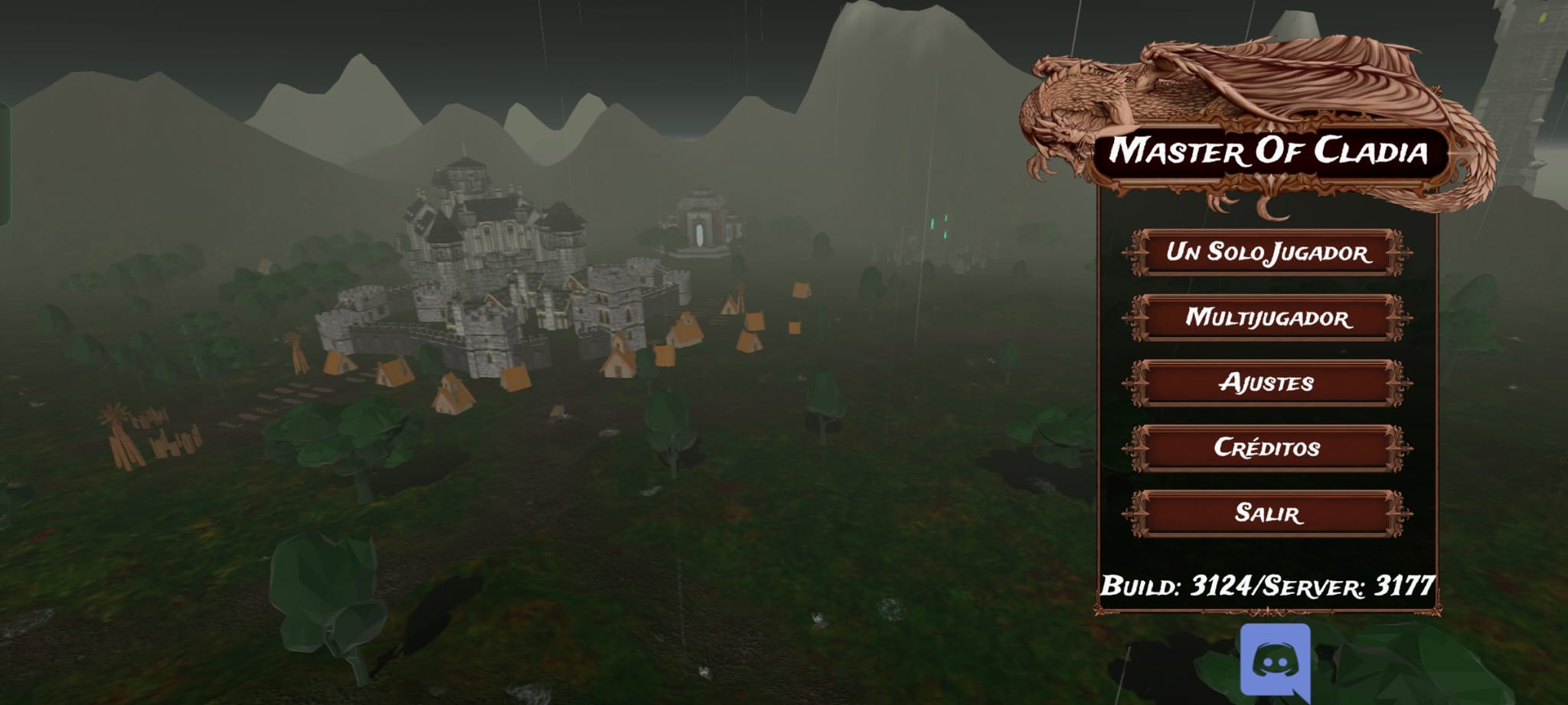 Step 1: in the game's main menu, tap “Settings”.
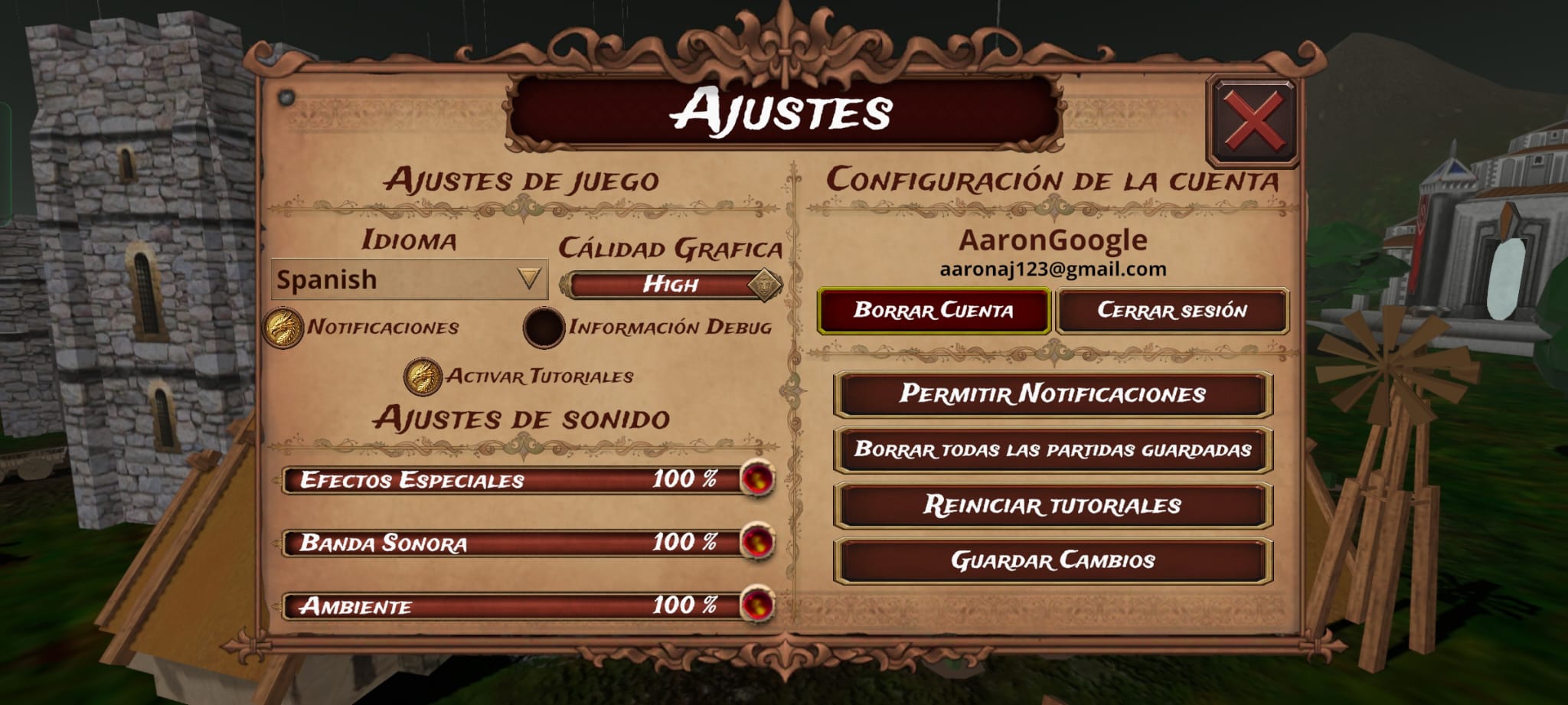 Step 2: under “Account settings”, tap “Delete account”.
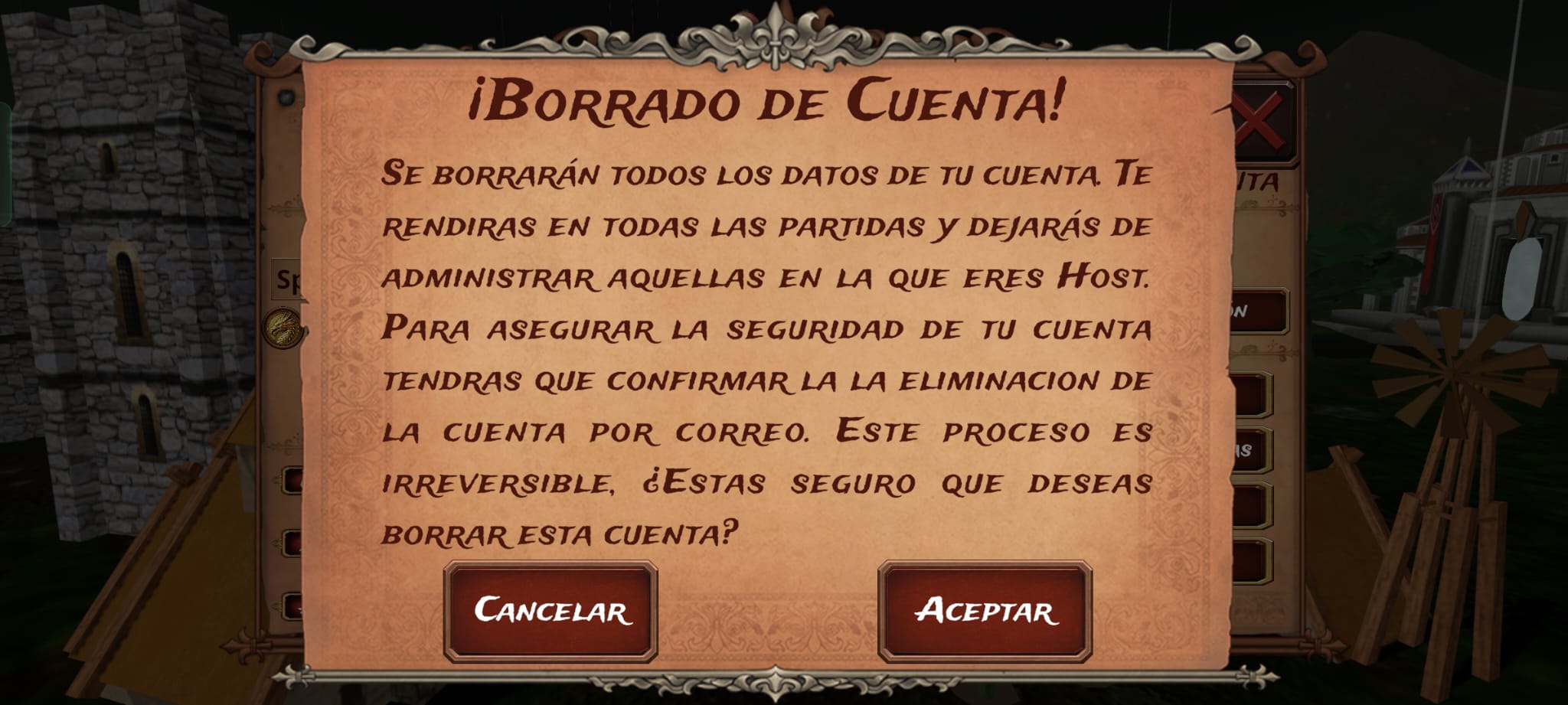 Step 3: read the warning and tap “Accept”.
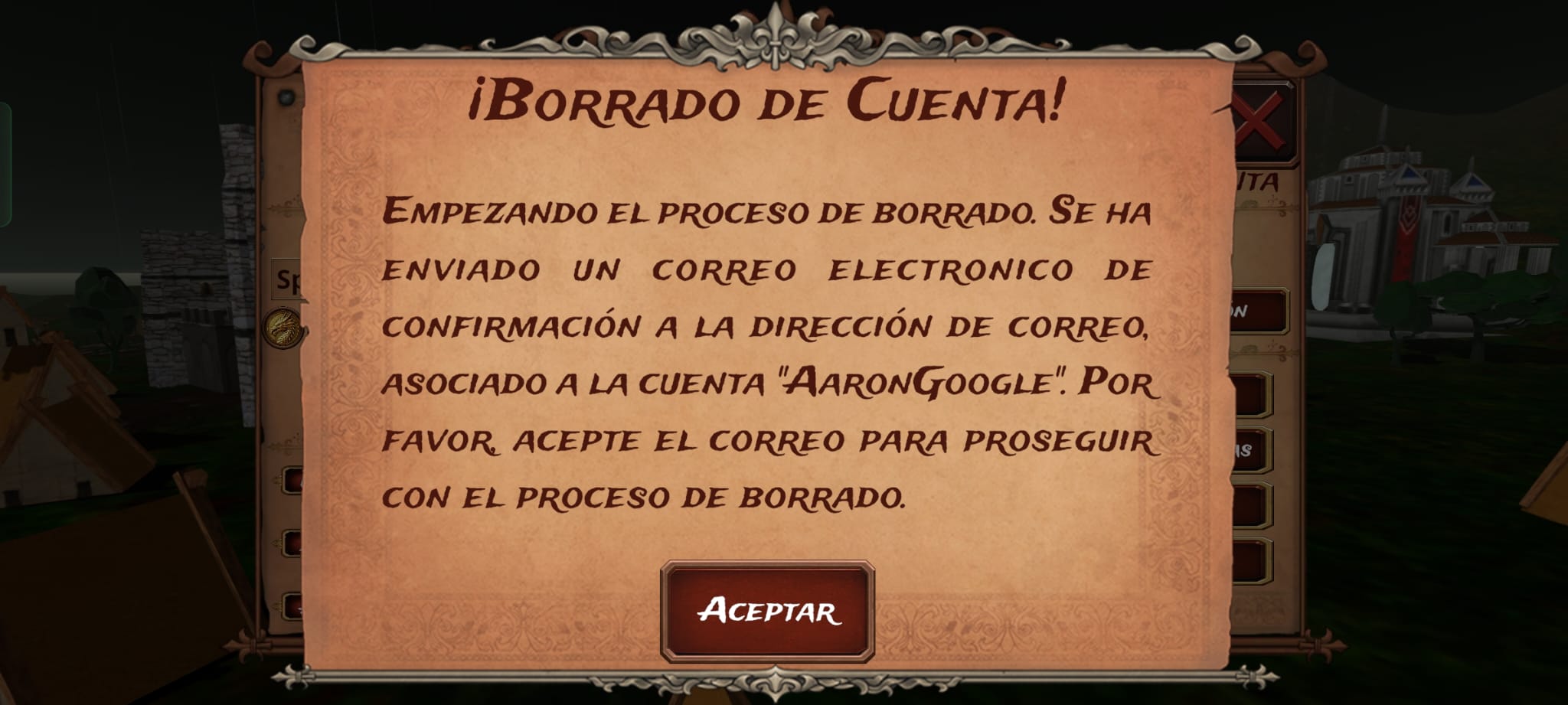 Step 4: the game sends you a confirmation email.
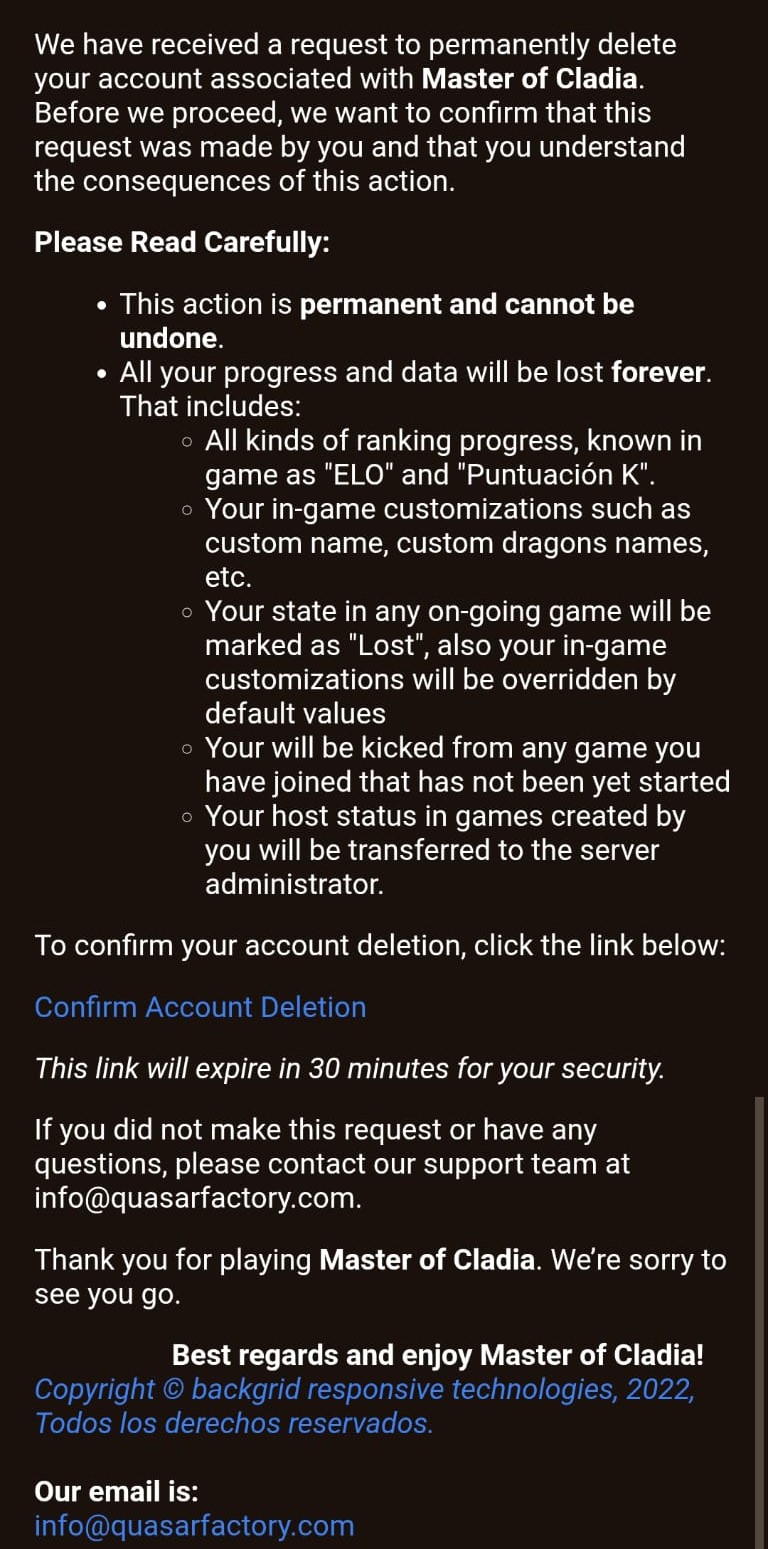 Step 5: open the email and tap the confirmation link. It expires in 30 minutes.
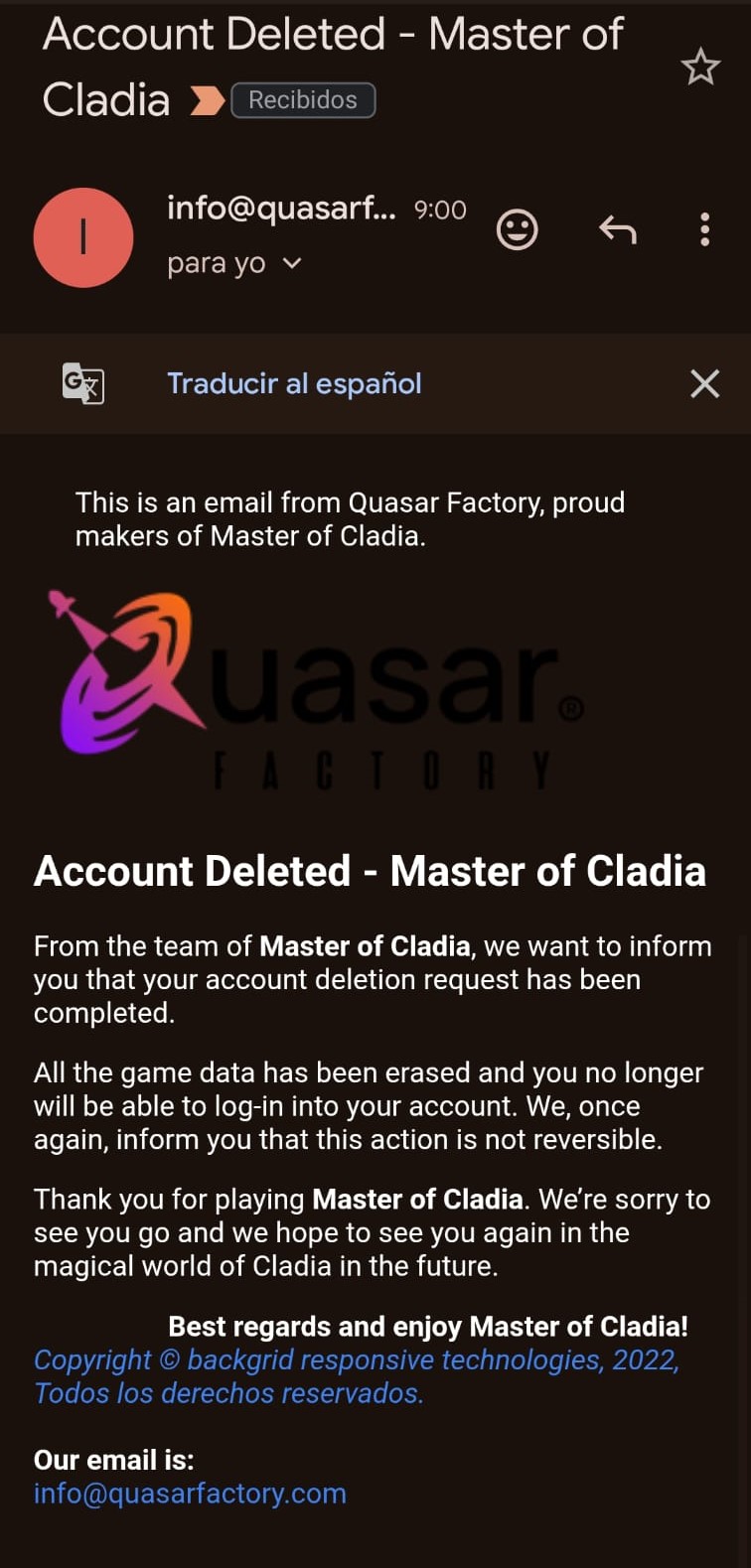 Step 6: you'll receive an email once the account has been deleted.
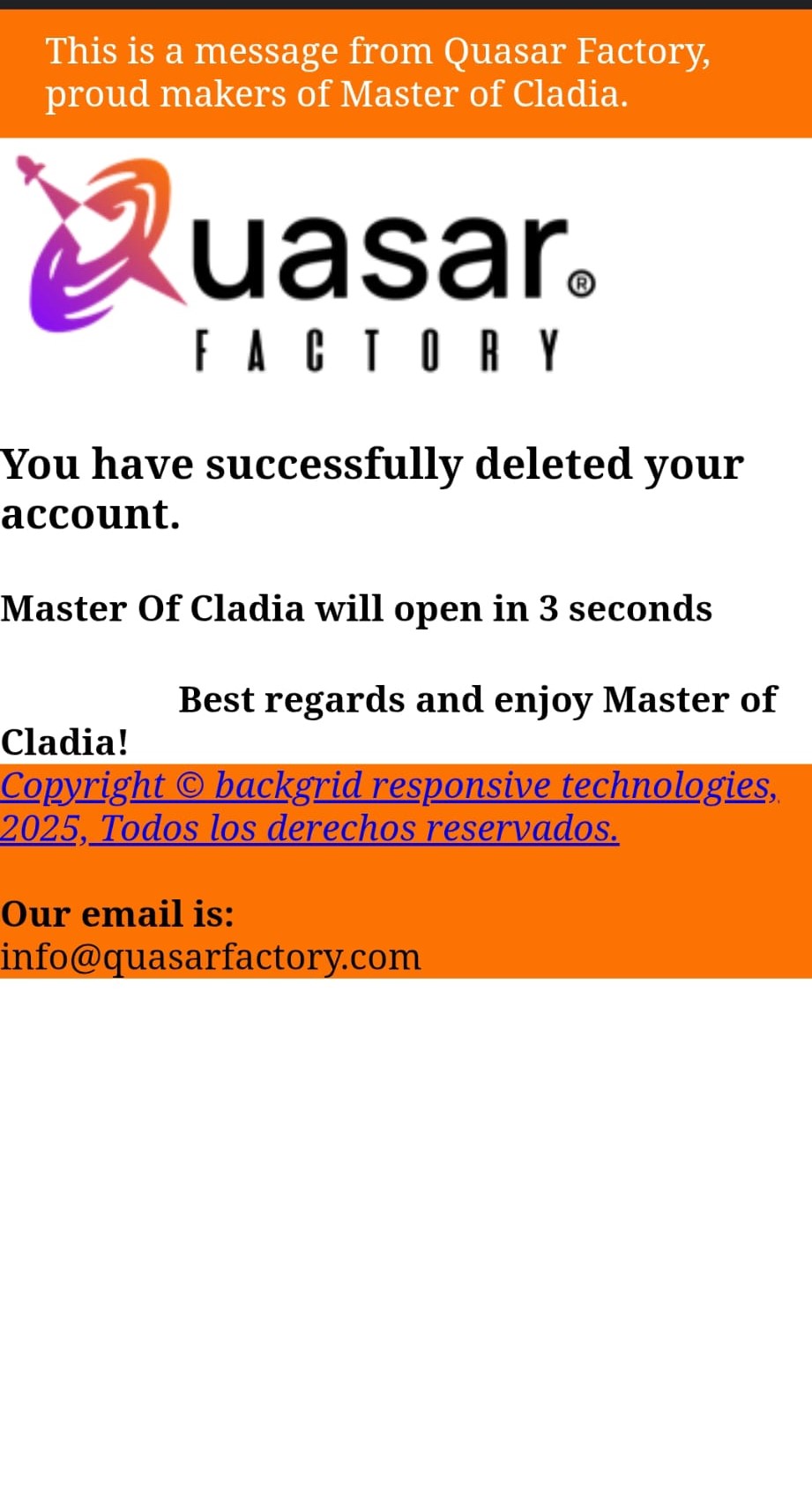 Step 7: the website confirms the deletion and reopens the game.
Can't access the game?
Send us your request using this form, with the email linked to your account.
- We will verify your identity.
- If we need more information, we'll write to the email you provide.
- We'll send you a confirmation once the account has been deleted.